
Copyright Murren20 2015
made with the Documenter v2.0
made with the Documenter v2.0
Parallax effect build with Easypiechart plugin. Just change percent of each chart
HTML:

Parallax effect build with jquery.stellar plugin.
You can easily change parallax speed and add it for all sections. Use data-stellar-background-ratio
HTML

Animation build with WOW.js plugin and Animate.css.
To add a new animation on scroll just set class wow and choose animate class from animate.css. In the example below, this class swing from animate.css
HTML

For slideshow backgrounds used OWL carousel
index-slideshow.html
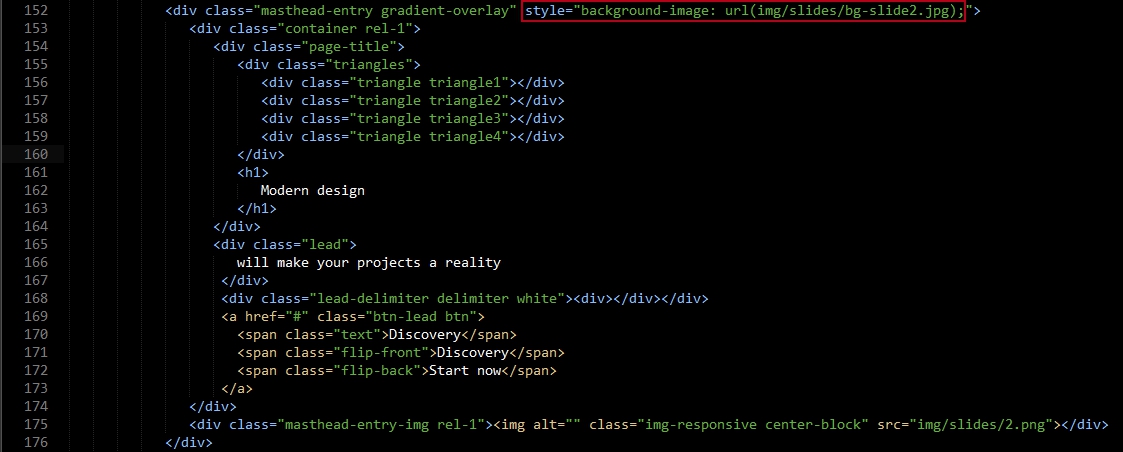
This is screenshot of the one slide, you can copy this slide and change image url and text.
Video Popup build with jquery jquery.magnific-popup plugn .
Just change video link into href . It will open in the lightbox.
HTML

Images are located in portfolio folder
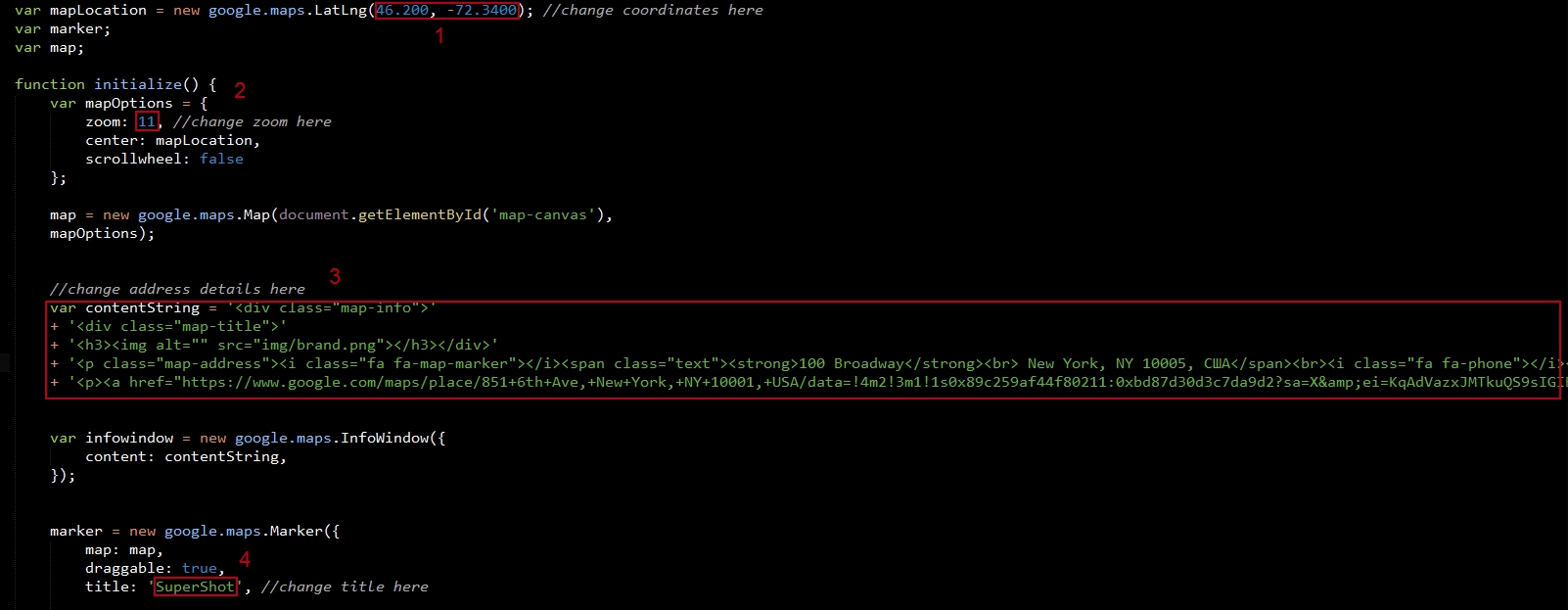
Go to the js folder and open gmap.js
1. Change coordinates: latitude and longitude
Watch video "how to get google maps latitude longitude". Video
2. If needs, change zoom of the map
3. Change address details
4. Change title
Icons used Font Awesome
HTML
<span class="fa fa-bicycle"></span>
jQuery http://jquery.com/
Bootstrap http://getbootstrap.com/
Smooth scroll https://github.com/cferdinandi/smooth-scroll
Stellar.js http://markdalgleish.com/projects/stellar.js
Wow.js http://mynameismatthieu.com/WOW/
Magnific Popup http://dimsemenov.com/plugins/magnific-popup/
OWL Carousel http://owlgraphic.com/owlcarousel/
jQuery validate https://github.com/jzaefferer/jquery-validation
Google maps https://developers.google.com/maps/
Easypiechart.js https://rendro.github.io/easy-pie-chart/
Animate.css https://daneden.github.io/animate.css/
Hover.css http://ianlunn.github.io/Hover/
Font Awesome icons https://fortawesome.github.io/Font-Awesome/
Google fonts https://www.google.com/fontsCredits